
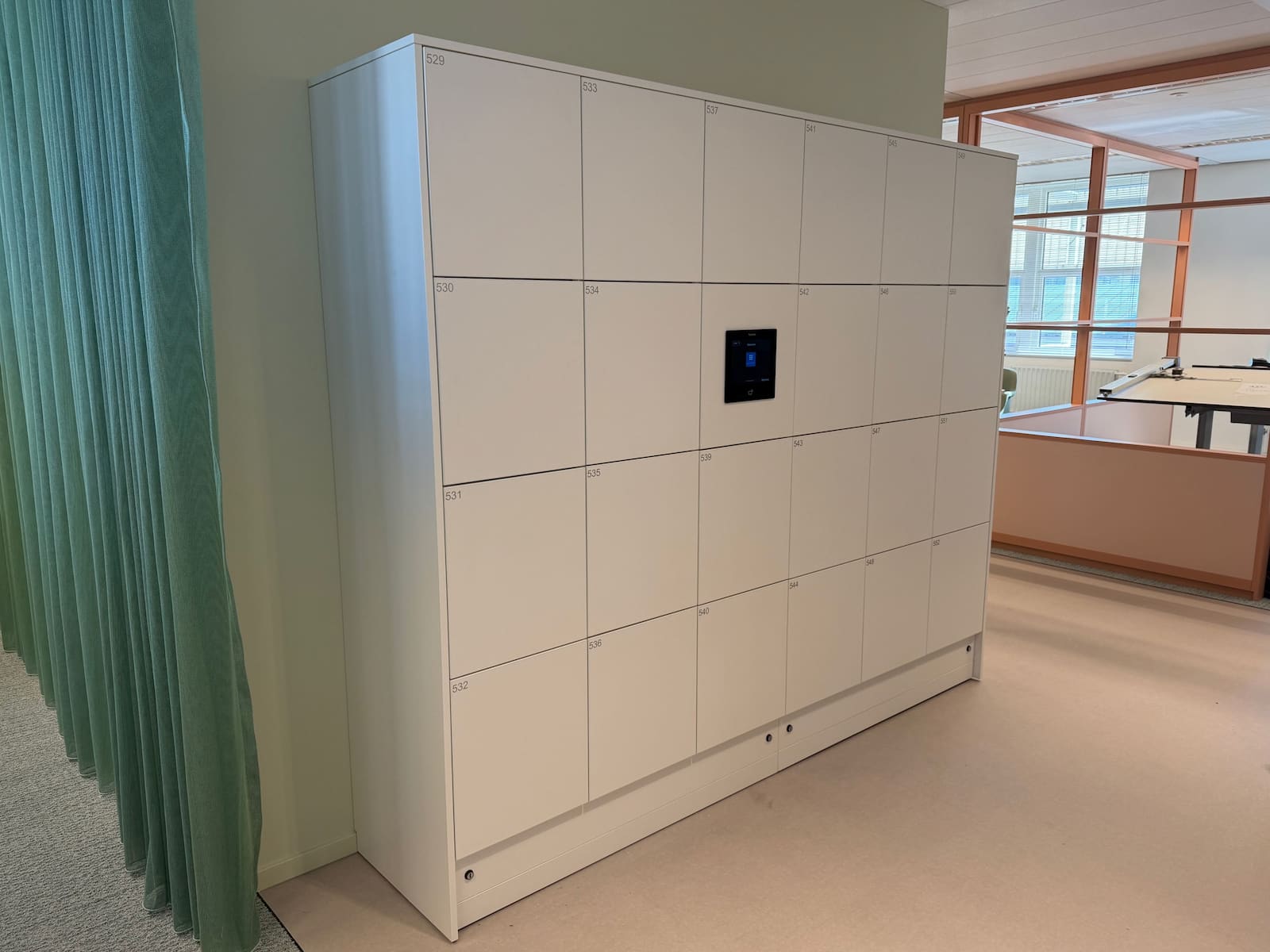
Hybrid offices create a new storage challenge that many workplace teams underestimate. Desks are shared, attendance varies by day, and employees still need secure places for personal items, work gear, and temporary equipment.
When organizations keep locker and personal staff storage rules informal, conflict appears quickly: unclear entitlement, "empty but claimed" lockers, disputes over reassignment, and repeated support tickets to facilities or reception.
This guide explains how to run shared employee lockers in hybrid offices with clear allocation rules, measurable utilization controls, and low day-to-day administrative friction.
For teams planning production deployment, Keynius supports this model through Corporate Workspace, Personal & Staff Storage, and Asset & Equipment Management.
Quick answer: what works for shared employee lockers in hybrid offices?
The most reliable model combines:
- a defined allocation model (assigned, rotating, or day-use)
- policy-backed entitlement and expiry rules
- digital access + event logging for visibility
- scheduled reassignment logic for inactive users
- KPI tracking for fairness and utilization
The goal is to operate a repeatable locker allocation system that fits hybrid attendance behavior, focusing on:
- shared employee storage in hybrid offices
- entitlement, assignment, renewal, and reallocation policies
- occupancy and utilization governance
Why shared locker conflicts happen in hybrid workplaces
Entitlement is unclear
Teams often start with first-come-first-served behavior and no documented eligibility rules. Over time, this creates perceived unfairness between frequent office users, occasional users, and teams with shift-based presence.
Capacity is trapped in inactive assignments
Without expiry and review cycles, lockers remain assigned to people who rarely come onsite. Utilization appears "full" on paper while employees on active office days cannot find space.
Policy and operations are disconnected
HR defines attendance policy, workplace operations manages space, IT manages credentials, and security governs access. If locker policy is not jointly owned, exception handling becomes inconsistent.
No-show and exception handling are undefined
When users reserve storage but do not show up, or when urgent temporary allocation is needed, teams often improvise. This is where trust in the system drops fastest.
Allocation models for hybrid office lockers
Model 1: permanently assigned lockers
Best for:
- regulated roles with predictable onsite presence
- teams requiring persistent personal storage
Strengths:
- high user certainty
- low daily decision load
Risks:
- lower utilization in hybrid attendance patterns
- capacity lock-up if reassignment rules are weak
Model 2: rotating lockers (time-bounded assignment)
Best for:
- mixed attendance organizations
- teams with recurring but non-daily office use
Strengths:
- better utilization
- easier rebalancing across teams and floors
Risks:
- requires stronger policy communication and lifecycle controls
Model 3: day-use lockers
Best for:
- highly flexible offices and touchdown environments
- unpredictable onsite behavior
Strengths:
- highest flexibility
- strong fit for daily fluctuation
Risks:
- more operational pressure during peak arrival windows
- requires clear same-day expiry behavior and support process
How to choose the right model
Start with attendance behavior, not assumptions
Map usage by:
- role type
- on-site frequency
- shift structure
- personal storage dependency
Use a blended approach in most enterprises
A common enterprise pattern is:
- fixed lockers for high-dependency user groups
- rotating lockers for regular hybrid users
- day-use capacity for occasional users and visitors-internal to tenant teams
This blend usually outperforms one-size-fits-all allocation.
Policy framework for shared employee lockers
1. Eligibility and priority rules
Define who qualifies for which locker model and why. Keep criteria explicit and publish them.
2. Assignment duration and renewal windows
Set review cycles (for example, 30/60/90-day) to prevent dead allocations.
3. Inactivity and reassignment policy
Define what triggers reassignment:
- prolonged inactivity
- repeated no-show reservations
- role or location changes
4. Exception and override governance
Document who can override assignments, under what conditions, and how overrides are logged.
5. Security and access control standards
Set standards for:
- credential type
- expiry behavior
- handover/transfer restrictions
- audit visibility for access events
Ownership model: who runs this in practice
Workplace Operations
- capacity planning
- zoning and locker-bank allocation
- policy execution and periodic review
HR / People Operations
- alignment with hybrid attendance policy
- fairness and eligibility communication
IT
- access provisioning logic
- system integration and support workflows
Security
- access governance and incident handling
- override audit requirements
A single named service owner should coordinate these functions to avoid fragmented decision-making.
30/60/90 implementation plan
First 30 days: baseline and policy design
- classify user cohorts and attendance patterns
- define allocation model by cohort
- publish eligibility, renewal, and reassignment rules
- establish baseline utilization and incident metrics
Days 31 to 60: controlled pilot
- run pilot in one or two representative office zones
- test exception handling and no-show logic
- track ticket volume and assignment conflict rate
Days 61 to 90: scale and standardize
- expand to additional zones/sites
- tune capacity mix between fixed/rotating/day-use
- formalize monthly governance review cadence
Quick decision checklist: fixed vs rotating vs day-use lockers
Use fixed lockers when
- users are onsite most days
- roles have persistent storage requirements
- compliance or role constraints require stable assignment
Use rotating lockers when
- onsite patterns are regular but non-daily
- teams need predictable access without permanent lock-up
- operations can support renewal/reassignment cycles
Use day-use lockers when
- attendance is highly variable
- employees need short-duration storage only
- policy supports same-day expiry and automated release
KPI framework for hybrid locker management
Track these indicators from pilot through scale:
- active utilization rate (occupied lockers with valid active use)
- reassignment cycle time
- no-show reservation rate
- conflict/exception ticket rate
- average time to resolve locker access issue
- cohort-level fairness indicators (availability by user group)
These KPIs keep decisions grounded in actual use behavior rather than anecdotal complaints.
Practical warning signs your model needs adjustment
Utilization appears high but complaints increase
This usually indicates assignment-quality issues, not pure capacity shortage.
Exceptions grow faster than occupancy
When override and support activity rises, policy clarity is likely insufficient.
Reassignment becomes politically difficult
If eligibility logic is not transparent, operations teams inherit avoidable escalation from stakeholders.
Evidence from Keynius enterprise deployments
Organizations with complex workplace requirements often need centralized governance, not just hardware rollout.
- Air France-KLM implemented 2,200 locker walls and supported more than 20,000 weekly uses with remote administration.
- Brussels Police centralized office locker access rights and administration across 2,800 smart lockers.
These deployments show that multi-site locker governance can scale when policy, access controls, and administration are managed as one operating model.
FAQ: employee locker management in hybrid offices
How do you allocate shared employee lockers fairly?
Use explicit eligibility cohorts, time-bounded assignment rules, and transparent reassignment criteria. Fairness depends more on policy clarity than on locker count alone.
Should hybrid offices use assigned lockers or day lockers?
Most enterprises perform better with a blended model. Keep fixed lockers for high-dependency roles and use rotating/day-use models for variable attendance groups.
What causes repeated locker conflicts?
The most common causes are inactive assignments, unclear entitlement, and inconsistent exception handling.
Which KPI should teams prioritize first?
Start with active utilization, exception ticket rate, and reassignment cycle time. Those three metrics reveal policy quality quickly.
Conclusion
Hybrid office storage is an operating-system question, not a furniture question. Teams that manage shared employee lockers well define entitlement, lifecycle, and exceptions before scaling hardware.
If your organization is redesigning hybrid storage policy, use Corporate Workspace as the hub and contact Keynius via Contact for a scoped locker allocation and governance assessment.






%201.svg)
%201.svg)
