Taking Employee Convenience to New Heights at KLM
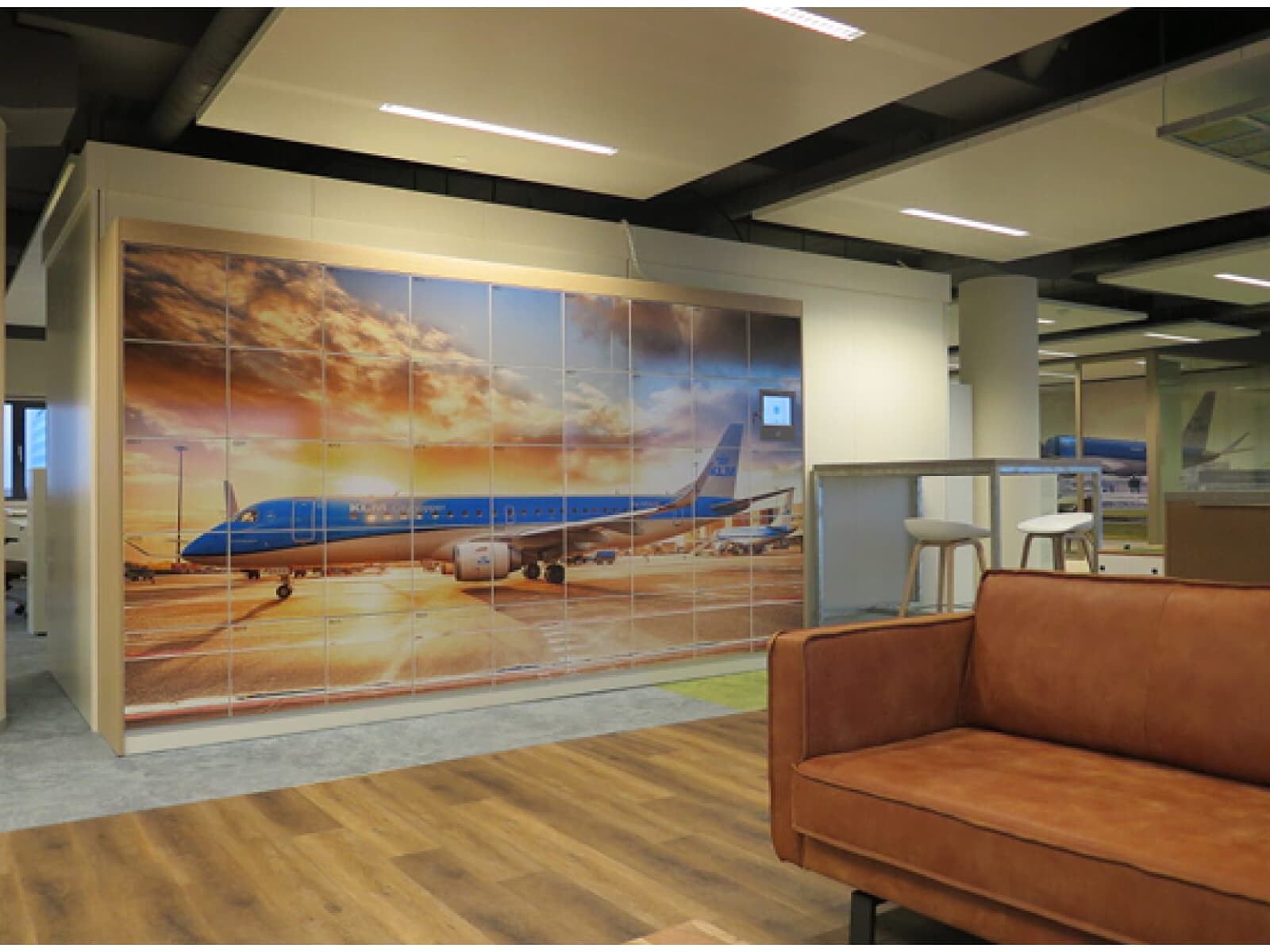
Currently, there are over 2,200 lockers installed across eight locations equipped with smart locking technology from Keynius. These lockers, located primarily in the crew centre, cater specifically to KLM's flight personnel. In addition to standard clothing lockers, there are extra-large compartments designed to accommodate roller suitcases with ease.

When You Think of KLM, You Think of Blue
KLM is synonymous with its signature blue—featured not just on its planes but also in the uniforms and interior design. The lockers are no exception, seamlessly aligning with KLM's corporate identity and adhering to the brand’s fixed colour palette, ensuring a consistent and professional image.
Seamless Smart Technology
The lockers are fully operated via the Keynius WebApp, customised to reflect KLM’s branding. Gone are the days of managing physical keys or access cards; cabin crew members can easily register and access their lockers by scanning a QR code. The Keynius App and smart touchscreen interface enable quick and effortless access, including pre-reserved lockers.
Efficient Remote Management
The locker management system allows remote oversight, giving administrators the ability to monitor locker usage, analyse statistics, and manage operations efficiently.By integrating cutting-edge technology with thoughtful design, KLM demonstrates its commitment to enhancing the convenience and experience of its employees and visitors while staying true to its iconic brand identity.
Want to find out more?
Our locker management system provides the perfect locking solution for every application. Discover the ease and the advantages of the safest, most advanced and most user-friendly locker management system on the market.
FAQ about Smart Lockers
How does the Keynius locker system work?
Keynius lockers combine smart electronic locks - smart locks and battery locks - with cloud-based software and optional local controllers via our Smart Home Teacher and Students.
Locks connect via LAN or Bluetooth to the Keynius platform, allowing users to authenticate, open, and manage lockers through touchscreens, RFID, PIN, or mobile app.
Admins control access rights, monitor usage, and configure lockers remotely via the Keynius Portal.
Can I customize the locker design and materials?
Yes. We are the only smart locking provider that owns every part of our supply chain, which includes all components, hardware, cabinetry, and software. This allows us to offer the most customizable smart lockers in the industry.
Lockers are available in multiple materials and colors:
Steel, powder-coated in standard RAL colors.
Wood-based panels with extensive Egger color finishes.
HPL laminate for high-durability indoor/outdoor use.
Outdoor waterproof steel version.
Each locker supports optional side panels, bases, benches, and color branding, or vinyl wrapping, as well as your selection of lock type, connection type, and many other custom add-ons.
Is the platform cloud-based or do I need local servers?
The Keynius platform is fully cloud-managed, requiring no local servers. Hardware like Smart Home Teacher/Student units and Battery Locks connect to the cloud via LAN or Bluetooth and are configured through the Keynius Portal or App.
What authentication/access methods are supported?
Supported authentication methods include:
PIN (capacitive keypad or mobile-assigned)
RFID (MiFare, HID, NFC, Apple Wallet)
Mobile app (BLE) for remote and Bluetooth access
QR code scanning (QR Reader IP65)
Payment terminals can optionally authenticate via debit/credit contactless systems.
How secure is the system and where is the data hosted?
Hardware is certified to CE, FCC, UKCA, and RoHS standards, with IP-rated protection up to IP65 for outdoor units.
Locks feature encryption, motorized mechanisms, and mechanical overrides for fail-safe access.
All data, including access logs and credentials, is stored securely in Keynius’ EU-hosted cloud environment compliant with European data protection standards.
Can Keynius integrate with our existing software?
Yes. The system offers open APIs for integration with HR, facility, payment, or booking systems. Payment terminals support remote configuration through the Terminal API.
View our existing integrations here.
What industries or use cases is Keynius suitable for?
Keynius offers a modular, flexible design which makes it compatible for nearly every industry and use-case.
Our most common sectors include:
- Corporate offices (personal storage, hybrid desks)
- Education (student lockers, IT device storage)
- Logistics and retail (parcel and click and collect)
- Leisure, hospitality, and healthcare (staff or visitor lockers)
What’s included in the setup and onboarding process?
Every project is different and requires its own scope, but we strive to offer a consistent and repeatable solution as much as possible to streamline our effectiveness and the quality of service we're able to deliver.
1. Design phase: Configure cabinet models, lock types, and finishes.
2. Installation: Connect Smart Locks to the Smart Home or cloud (plug-and-play).
3. Software setup: Locker walls created in the Keynius Portal; access rights assigned.
4. Training: Admins and users onboarded via the app guide.
5. Support: Remote monitoring, software updates, and Keynius support line.



