
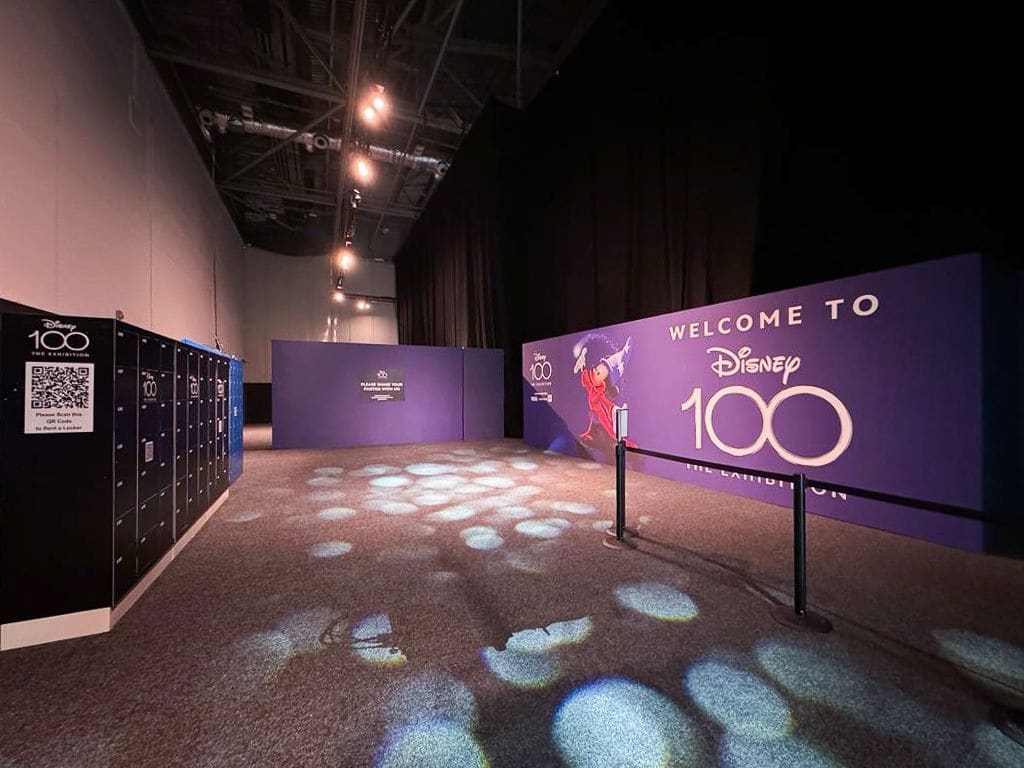
Exhibition centers run on traffic waves, not steady flow. Morning opening, keynote transitions, lunch peaks, and end-of-day exits create concentrated pressure on entrances and circulation routes. When coat and bag storage is underdesigned, queues form quickly and spread into ticketing, security, and hall access points.
This is why storage operations should be treated as a core throughput workflow, not a side service. The practical question that so rarely gets asked before it's too late: how do you enforce bag rules and protect guest flow without adding avoidable friction for visitors, exhibitors, and staff?
This guide outlines a proven operating model for exhibition teams that need faster intake, fewer escalations, and a more predictable visitor experience.
If your venue team is reviewing options, start with Hospitality & Venues, Pay & Store, and the venue results from AFAS Live and Ziggo Dome.
What is the best way to reduce exhibition coat-check and bag-storage queues?
The most reliable approach is a hybrid model:
- a clear policy split between allowed items, store-required items, and non-accepted items
- dedicated storage intake lanes outside core security choke points
- self-service capacity for standard items during peaks
- staffed exception handling for oversized or policy-sensitive cases
- event-by-event KPI tracking for queue time, retrieval time, and exception volume
The goal is not to "add lockers" or "add more staff" in isolation. The goal is to design a flow where storage exceptions no longer block primary entry throughput.
What queue failure looks like at exhibition centers
Entry lanes slow down when prohibited or oversized items appear late
Many visitors arrive with bags that do not fit event policy or with bulky items after travel. If there is no fast diversion to storage, screening teams become exception handlers and the queue behind them stalls.
Cloakroom counters absorb multi-role traffic they were not designed for
At many fairs, one desk or zone ends up handling coats, handbags, laptop bags, suitcases, and ad hoc questions. Mixed traffic creates variable service times and unstable queue behavior.
Queue spillover starts affecting exhibitor and organizer outcomes
When waiting lines cross into hall access paths, wayfinding breaks down, arrivals are delayed, and first-hour booth traffic drops. This is a measurable commercial and experience issue, not only an operations issue.
Retrieval pressure peaks exactly when staffing is most constrained
At closing windows, many visitors retrieve items at once while staff also support floor reset, security wrap-up, and organizer requests. Without retrieval planning, overtime and congestion increase quickly.
Why exhibition storage queues get worse over time
Security policy and storage process are documented separately
Teams often have clear prohibited-item rules but no equally clear storage fallback process. Policy is consistent on paper; operations become inconsistent in practice.
Capacity planning is based on average demand, not wave demand
Average hourly volume is not the right metric for fairs and conferences. Storage systems must absorb high volumes in short windows, especially at first entry and end-of-day.
Exception ownership is unclear across teams
If security, venue operations, and organizer services do not share a defined handoff model, each shift resolves exceptions differently. Queue times and visitor experience become unpredictable.
No common KPI set exists across intake and retrieval
Without consistent queue and throughput metrics, teams cannot identify whether delays come from staffing, placement, signage, or policy complexity.
Staffed cloakroom vs self-service lockers vs hybrid: what works best?
Model 1: staffed cloakroom only
Best for:
- low to moderate, predictable volume
- limited item diversity
- high-touch service expectations
Risks:
- queue growth under wave arrivals
- high labor dependence
- overtime at retrieval peaks
Model 2: self-service lockers only
Best for:
- high standard-item volume
- speed-focused intake and retrieval
- venues with clear wayfinding and digital instructions
Risks:
- exception handling still needed for oversized or restricted items
- requires upfront policy clarity and signage discipline
Model 3: hybrid model (recommended for most large exhibitions)
Best for:
- multi-entrance, variable-volume events
- mixed visitor profiles and item types
- organizers needing both speed and governance
Why it works:
- standard traffic moves through self-service routes
- exceptions are handled by a smaller staffed lane
- security screening remains focused on screening, not bag administration
For ROI-focused operators, calculate your ROI now.
Implementation blueprint for exhibition centers
1. Build a policy matrix before event day
Define and distribute a short matrix that covers:
- accepted at entry
- must be stored
- not accepted for storage
- accessibility and medical exceptions
- escalation owner by shift
This prevents real-time debate at queues.
2. Map storage zones to traffic geometry, not leftover space
Storage locations should reduce pressure on entry choke points. A common pattern:
- screening lanes remain linear
- non-compliant items are diverted to adjacent intake routes
- visitors return to screening quickly without crossing incoming traffic
3. Set surge service-level targets
Establish event-tier targets such as:
- p90 intake queue time before first keynote
- p90 retrieval queue time in final 45 minutes
- threshold for opening overflow lanes or redeploying staff
4. Separate roles across security, ops, and organizer services
Operational stability depends on role clarity:
- security enforces policy and maintains screening pace
- venue operations own storage throughput performance
- organizer services own attendee communication and edge-case escalation
5. Design retrieval for end-of-day waves
Many teams optimize intake but under-plan retrieval. Use:
- pre-assigned retrieval lanes
- queue marshaling and wayfinding
- event-close staffing triggers tied to live occupancy
6. Standardize attendee communication
Before arrival, attendees should receive:
- simple bag-size and item policy
- storage location and pricing details (if applicable)
- recommended arrival timing for visitors carrying larger items
Clear communication removes avoidable exceptions before they reach the door.
KPI framework to measure queue reduction
Track performance per event, then trend by event type.
Throughput KPIs
- intake queue time
- retrieval queue time
- average storage transaction time by lane type
- proportion of visitors redirected from screening to storage
Control and reliability KPIs
- unresolved exception count
- incident count linked to storage flow breakdown
- overflow lane activation frequency
- policy-compliance rate by entrance
Commercial and experience KPIs
- guest complaints related to storage waits
- storage utilization rate by event segment
- net storage revenue (where paid model applies)
- first-hour hall traffic proxy for exhibitor footfall
Common failure patterns and practical fixes
Failure pattern: queue times remain high after adding capacity
Likely cause: capacity was added in the wrong location. Fix by repositioning intake so storage traffic does not rejoin core entry lanes too early.
Failure pattern: security teams still spend time on storage exceptions
Likely cause: role boundaries are unclear. Fix with explicit handoff scripts and dedicated exception owners during peak windows.
Failure pattern: retrieval becomes chaotic despite smooth intake
Likely cause: end-of-day wave planning is weak. Fix with retrieval lane separation, post-close staffing triggers, and clear wayfinding.
Failure pattern: revenue improves but satisfaction drops
Likely cause: process feels punitive or unclear. Fix communication and queue reliability first, then tune pricing.
Conclusion
Exhibition storage queues are rarely a single-point problem. They are usually the result of policy, placement, staffing, and communication decisions that were not designed for peak-wave conditions.
Teams that treat coat and bag storage as a throughput workflow can reduce queue friction, protect security performance, and improve exhibitor and visitor outcomes.
If you want to scope an exhibition-ready model for your venue, review Pay & Store and contact Keynius.
FAQ: Exhibition center coat and bag storage operations
How can exhibition centers reduce queueing for coat and bag storage quickly?
Start by splitting standard storage traffic from exception handling and moving intake away from primary screening queues. Most immediate gains come from flow redesign, not staffing increases alone.
Should trade-fair venues use staffed cloakrooms or self-service lockers?
Most large venues perform best with a hybrid model. Self-service handles repeatable standard traffic; staffed lanes manage exceptions.
What is the most important KPI to watch first?
Track p90 queue time for both intake and retrieval. If p90 remains high, average metrics can hide operational instability.
Can exhibition centers monetize storage without harming flow?
Yes, when pricing and policy are transparent and queue reliability stays within target service levels.
Which teams should own this process?
Venue operations should own throughput and service levels, with security and organizer services aligned through predefined handoff rules.





%201.svg)
%201.svg)
