
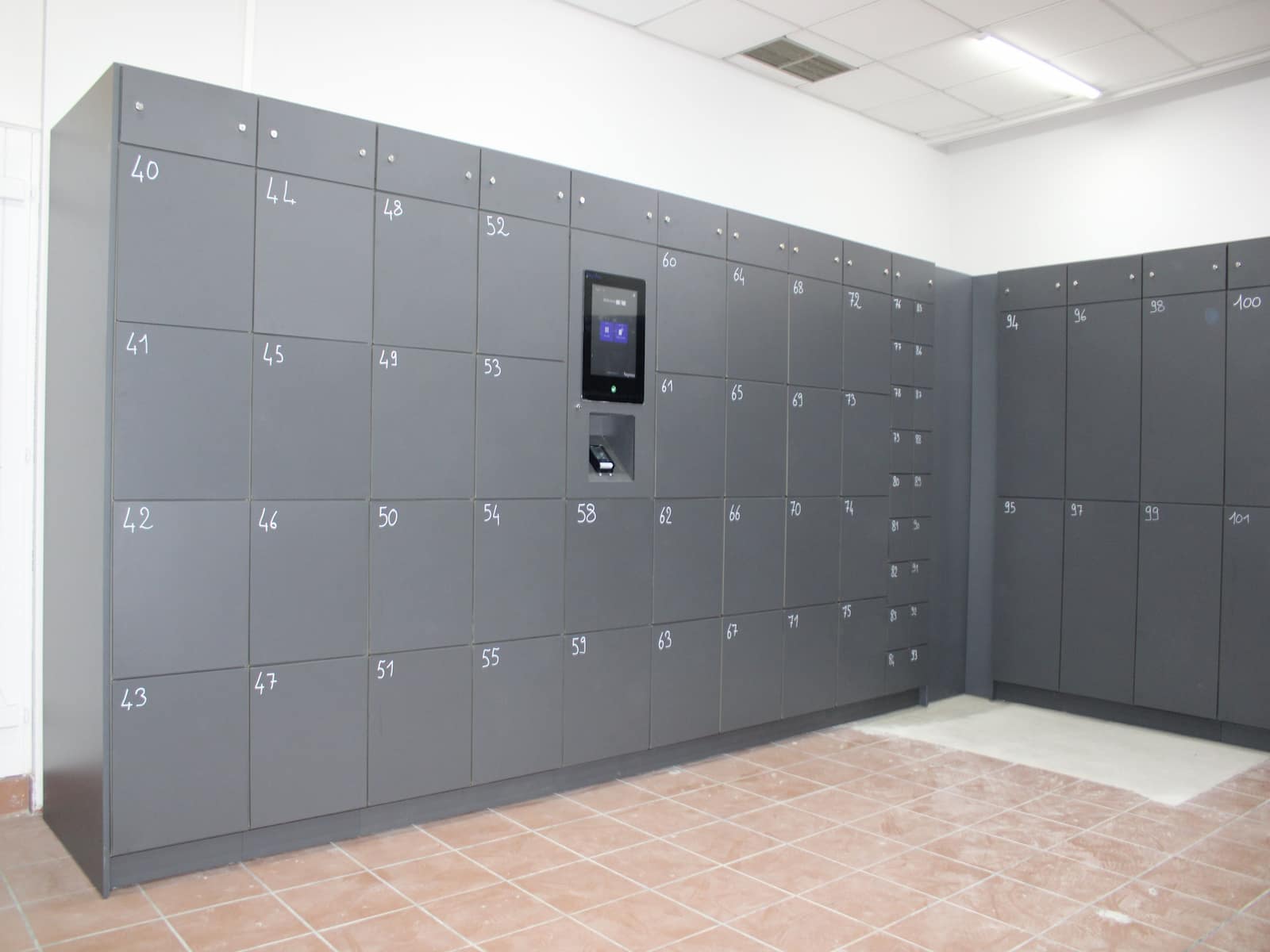
Public-space operators face a common problem: visitors arrive with bags they cannot bring everywhere, and staffed cloakrooms are costly at peak times. City centers, attractions, transport-adjacent venues, and mixed-use public buildings all see this pattern.
When storage stays informal, teams absorb queue pressure, custody disputes, and inconsistent policy enforcement. A safer model is temporary paid storage: self-service for users and policy-driven for operators.
This guide shows how public spaces can launch temporary paid storage safely, which controls matter most, and how to scale without adding manual workload.
For teams evaluating implementation paths, Keynius provides Pay & Store, Hospitality & Venues, and Locker Software for high-traffic storage workflows.
Quick answer: what is safe temporary paid storage in public spaces?
Safe temporary paid storage combines:
- self-service locker access for short-stay visitor use
- explicit policy windows for pricing, storage duration, and overstay handling
- auditable event logs for drop-off, access, pickup, and overrides
- clear escalation ownership for suspicious, unclaimed, or disputed items
The goal is simple: reduce queueing and manual handling while improving control and service consistency.
Quick answers for common public-space storage questions
Is temporary paid storage only for large venues?
No. Mid-size public spaces with periodic demand spikes can benefit when manual bag handling disrupts entry flow or service teams.
Does paid storage reduce staffing pressure?
Usually yes, if policy and workflow are standardized. Without clear rules, teams still spend time on exceptions and support.
What is the main safety risk in manual cloakroom models?
The biggest risk is weak chain-of-custody clarity. During busy windows, proving who stored and retrieved which item can become difficult.
What should operators design first?
Policy and exception logic first, hardware second. Define allowed items, dwell windows, pricing logic, and escalation routes before rollout.
Why this issue is growing in public spaces
Visitor behavior is short-stay and bursty
Public spaces now serve more short-stay visits: meetings, events, errands, tourism stops, and transit connections. Storage requests cluster around peak entry and exit periods.
Existing cloakroom workflows do not scale cleanly
Staffed handover models depend on available personnel and shift quality. At high throughput, queue lengths rise and retrieval times become less predictable.
Manual handling creates hidden risk and cost
Teams spend repeated effort on low-value handovers, and dispute resolution slows down when records are incomplete.
Safety expectations are higher than before
Operators need to show that storage is controlled, policy-based, and auditable. Informal room storage with ad hoc rules is harder to defend under incident review.
Common operating models and trade-offs
Staffed cloakroom handover
Strengths:
- low setup complexity
- direct human support
Limitations:
- labor-intensive at peaks
- higher queue pressure
- inconsistent custody evidence
Open or semi-controlled bag rooms
Strengths:
- simple to launch
- can absorb some overflow
Limitations:
- weaker access control
- difficult supervision consistency
- dispute handling friction
Policy-driven self-service paid lockers
Strengths:
- faster throughput for short stays
- stronger custody traceability
- scalable operations with fewer manual interventions
Limitations if poorly implemented:
- user confusion when rules are unclear
- exception burden if escalation paths are undefined
Comparison table: cloakroom vs bag room vs policy-driven paid lockers
ModelQueue resilienceLabor loadCustody claritySafety governance fitMonetization consistencyStaffed cloakroomMediumHighMediumMediumMediumOpen/semi-controlled bag roomLow to mediumMediumLowLowLowPolicy-driven paid lockersHighLow to mediumHighHighHigh
What makes temporary paid storage safe in practice
1. Clear storage policy windows
Define and publish:
- maximum dwell time by user type
- paid increments and grace periods
- overstay and no-collection rules
- restricted item classes
2. Controlled access per storage event
Each storage event should map to one credential flow (for example PIN, QR, mobile credential, or assisted issue) and one retrieval path.
3. Auditable event records
Track key events consistently:
- storage start
- user notification
- access and retrieval
- manual overrides and operator actions
4. Explicit incident escalation workflow
Prepare procedural paths for:
- unattended or suspicious items
- wrong-recipient retrieval attempts
- damaged-item claims
- expired storage windows
5. Cross-team ownership model
A practical ownership split in public-space environments:
- operations/front-of-house: user flow and first-line support
- security/risk: policy and incident governance
- IT/digital operations: system administration and integrations
Implementation blueprint for public-space operators
Step 1: baseline the current load
Measure for two to four weeks:
- storage requests per day and per hour
- average queue time at peak windows
- percentage of assisted retrievals
- incident and exception rates
Step 2: design policy before placement
Draft policy first, then set locker location and capacity. Placement should improve entry flow without reducing supervision quality.
Step 3: pilot in one high-friction zone
Run a controlled pilot where demand is most volatile. Validate:
- queue-time impact
- user completion rate for self-service flow
- support ticket pattern for exceptions
Step 4: harden and standardize
After pilot results, lock down:
- escalation playbooks
- override permissions
- reporting cadence
- role ownership across shifts/sites
Step 5: scale in clusters
Roll out to similar traffic clusters instead of all locations at once. This reduces rollout risk and improves operational learning.
30/60/90 rollout plan
First 30 days: diagnose and define
- map demand windows and item mix
- set pricing, policy, and escalation rules
- align team roles and support scripts
Days 31 to 60: pilot and tune
- launch controlled self-service flow
- monitor queue and exception metrics weekly
- tune communication and grace-window logic
Days 61 to 90: scale and govern
- expand to similar public-space locations
- standardize reports for operations and risk teams
- set monthly governance reviews for policy adjustments
ICP fit and buying-committee relevance
Operations and guest-flow teams
Need reduced queue friction and more predictable throughput at peak moments.
Security and risk teams
Need custody visibility and enforceable incident workflows.
IT and digital service teams
Need manageable administration, policy controls, and integration-ready platform behavior.
This is where Keynius is positioned as a provider focused on secure, auditable locker operations in high-traffic environments, rather than one-off storage hardware.
Internal paths for deeper evaluation
For teams comparing options, relevant Keynius pages include:
- Pay & Store
- Personal & Staff Storage
- Hospitality & Venues
- Locker Software
- Air France-KLM corporate workspace case study
- Contact Keynius
Conclusion
Temporary paid storage in public spaces is not only a monetization feature. It is an operational control system for high-traffic visitor environments.
The most effective deployments combine self-service speed with policy discipline: explicit rules, auditable events, and defined escalation ownership. That is what reduces queueing and manual handling without sacrificing safety.
If your team is planning a rollout, start with policy and workflow design, then scale with measured pilots. For implementation guidance, review Pay & Store and Locker Software, then contact Keynius for a scoped deployment discussion.
FAQ: Temporary paid storage in public spaces
What is temporary paid storage?
It is short-duration, policy-governed storage where users pay for timed access and operators retain custody controls and audit visibility.
Is paid storage compatible with public safety requirements?
It can be, when storage policy includes restricted-item handling, escalation paths, and clear operator authority for interventions.
Can temporary paid storage work without adding staff?
Often yes, when self-service flow is paired with clear support and exception handling processes.
How should operators set pricing?
Use dwell-time bands with clear grace periods and overstay rules. Pricing should align with demand profile and support load, not only revenue targets.
Which KPI should be tracked first?
Start with queue time, assisted retrieval rate, exception rate, and occupancy/turnover. Those metrics reveal operational impact quickly.





%201.svg)
%201.svg)
