
Keynius announces its integration with LogisticsOS, FacilityOS’s dedicated mailroom, asset tracking, and inventory management module, to close the last step in mailroom delivery.
For compatible, configured deployments, LogisticsOS manages the chain of custody from inbound receiving and barcode scanning through recipient notification, while Keynius smart lockers provide the secure, self-service collection point.
LogisticsOS is FacilityOS’s dedicated mailroom, asset tracking, and inventory management module, purpose-built for high-volume parcel receiving, chain-of-custody tracking, interoffice requests, and smart locker delivery.
Read the Keynius FacilityOS integration page alongside the FacilityOS website.
Why the integration matters
Secure storage should not sit outside the wider operational journey. The Keynius platform manages the physical locker system, access, assignments, and activity, while the partner workflow provides the agreed workplace or facilities context.
This supports organizations that need a dependable user experience, accountable administration, and a clear process when access, storage, or service requirements change. Explore Keynius personal and staff storage solutions for related use cases.
How the integration works
- Define the LogisticsOS workflow for the smart locker and mailroom process, including whether items should be auto-assigned or batched before reaching the lockers.
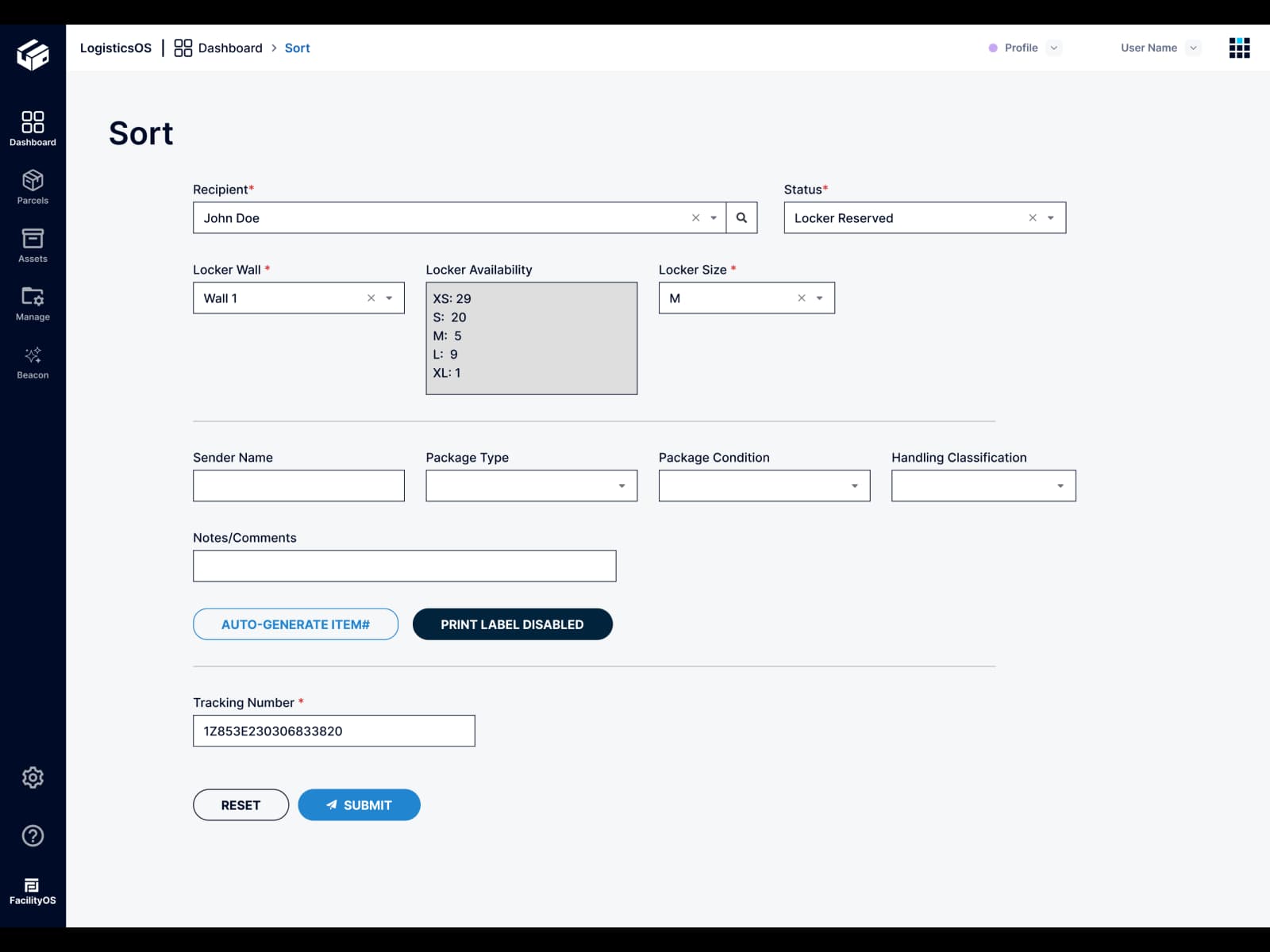
- When a mailroom team receives an inbound parcel in LogisticsOS, an API call sends the approved package data to Keynius.
- Keynius either automatically reserves a locker or accepts the package data without reserving a locker for high-volume operations that batch and cart items to the lockers later.
- Once the item is physically placed in the locker, LogisticsOS emails the recipient, who collects it with a PIN; the configured workflow records the relevant parcel and locker events.
Key benefits
- Close the last step in mailroom delivery with secure, self-service collection
- Maintain chain-of-custody visibility from receiving through pickup
- Reduce staffed hand-offs at the point of delivery
- Support auto-assigned lockers and high-volume batch delivery workflows
- Send recipient email notifications after the item is placed in the locker
- Enable PIN-based parcel collection
- Free mailroom teams to focus on higher-value operations
Availability
Contact Keynius to discuss the right workflow and implementation scope for your environment.
Keynius and LogisticsOS integration FAQ
What does the Keynius and LogisticsOS integration do?
It connects LogisticsOS mailroom workflows with Keynius smart lockers, linking inbound receiving, barcode scanning, chain-of-custody tracking, recipient notification, and secure self-service collection.
What is LogisticsOS?
LogisticsOS is FacilityOS’s dedicated mailroom, asset tracking, and inventory management module for parcel receiving, chain-of-custody tracking, interoffice requests, and smart locker delivery.
How does the mailroom delivery workflow work?
When an inbound parcel is received in LogisticsOS, an API call sends the approved package data to Keynius. Once the item is placed in a locker, LogisticsOS emails the recipient so they can collect it with a PIN.
Can Keynius automatically reserve a locker?
Yes. Where auto-assign is configured, Keynius can reserve a locker when the parcel is received in LogisticsOS.
Can the integration support high-volume mailroom operations?
Yes. Keynius can accept package data without reserving a locker, allowing teams to batch items and cart them to the lockers later before the recipient is notified.
What is needed for implementation?
Keynius platform/API access, the appropriate LogisticsOS license and account, configured LogisticsOS workflows, a dedicated LogisticsOS service account, a Keynius integration token, and FacilityOS API webhook credentials are required.
How are data and exceptions handled?
Recipient personal data is in scope, parcel events are logged by webhook, and non-success responses halt submission. Each deployment should also confirm support escalation and emergency override procedures.





%201.svg)
%201.svg)
