
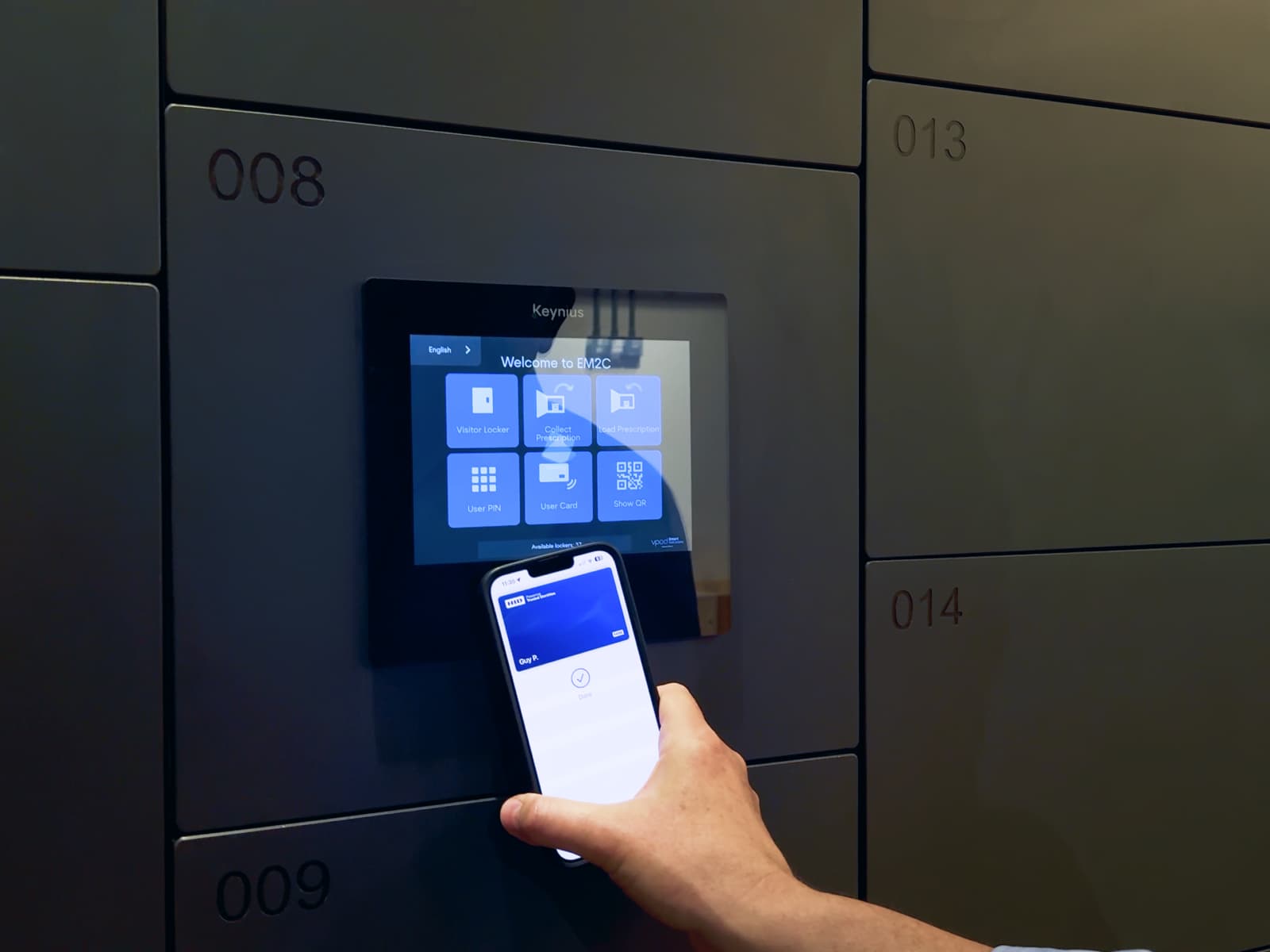
Enterprise workplace teams are now evaluating wallet-based access control as a practical replacement for physical badges and ad hoc locker credentials. As a result, Apple Wallet and Google Wallet access can now be deployed in a way that improves security, reduces admin overhead, and scales across multiple offices.
For large-office and multi-site Corporate Workspace environments, this is an operational decision with direct impact on onboarding, offboarding, facilities support load, and user experience. It is also a decision that increasingly appears in smart office and smart locker projects.
At Keynius, we see this decision first-hand in live projects where facilities, security, and IT need one model that works under real operational pressure. This guide explains where Apple Wallet and Google Wallet locker access fits, what value it creates for enterprise operators, and what teams should validate before rollout.
Quick answer: are Apple Wallet and Google Wallet relevant for smart locker access?
Yes. Apple Wallet and Google Wallet are now a credible access method for enterprise environments that need secure, user-friendly credentials.
A wallet-based smart locker setup can provide:
- one digital credential model across building and locker workflows
- faster user provisioning and revocation compared with physical badge logistics
- improved user convenience for hybrid workers and visitors
- better alignment with enterprise identity, security, and audit requirements
In practice, Apple Wallet and Google Wallet access works best when paired with a centralized locker platform and clear lifecycle controls, not as a standalone convenience feature.
What breaks in corporate workspaces without a unified access model
In many enterprise offices, building access, locker access, and identity workflows are still managed in separate systems or semi-manual processes. This creates recurring friction for three core teams:
- Facilities teams spend time resolving avoidable access exceptions.
- Security teams carry governance risk when revocation and audit trails are inconsistent.
- IT teams absorb ticket volume from credential lifecycle issues that should be automated.
When access and storage systems are fragmented, the consequences are predictable: slower onboarding, delayed offboarding, inconsistent user experience between sites, and weaker operational control.
Why enterprise workplace operators care about wallet-based access
In real enterprise environments, wallet-based access is not a design trend. It is an operating model choice. When one office can issue and revoke credentials in minutes while another still depends on badge handoffs and exception spreadsheets, support load and risk quickly diverge.
1. It reduces physical badge lifecycle friction
Physical badges create recurring operational work: printing, issuing, replacing lost cards, handling temporary passes, and revoking credentials during offboarding. In multi-site organizations, these workflows fragment quickly.
Apple Wallet and Google Wallet credentials reduce this friction because credential distribution becomes software-driven. IT, security, and workplace operations can coordinate access changes faster without relying on physical handoffs.
2. It improves hybrid-workplace usability
Hybrid work models increase day-to-day variability. People move between locations, visit offices less predictably, and need access without pre-planned desk or storage assignments.
Wallet-based locker access supports this model by giving users a familiar mobile access pattern. This can reduce support tickets tied to forgotten cards or temporary credential issues.
In practice, this matters most at the start of the day and during peak arrival windows. Those are the moments where access friction becomes visible to both users and workplace teams.
3. It strengthens governance when implemented correctly
For the right architecture, mobile credentials can improve governance rather than weaken it. Enterprise teams can link credential lifecycle events to identity policies and maintain clearer control over active access rights.
For operators evaluating this in detail, the most important point is not "mobile equals secure." The point is that security depends on implementation quality, policy controls, and platform-level auditability.
This is where infrastructure-grade platform choices matter. Access methods only create enterprise value when governance and operations are designed together.
Which corporate workspace teams are affected and what changes with this solution
Facilities and Workplace Operations
Common pain points:
- inconsistent locker access support requests
- manual coordination between reception, facilities, and IT
- scaling storage access across multiple locations
Wallet-based smart locker access helps by:
- reducing manual credential handling
- supporting self-service access workflows
- improving consistency across sites
Corporate Security and Risk
Common pain points:
- uncertain access revocation timing
- fragmented credential governance
- incident investigation friction
Wallet-based access helps by:
- aligning locker access with governed identity workflows
- improving traceability through centralized event records
- reducing unmanaged temporary credential usage
IT and Workplace Technology
Common pain points:
- disconnected locker and access systems
- rising support load from credential exceptions
- pressure to modernize user-facing workplace systems
Wallet-based access helps by:
- fitting into broader mobile credential strategy
- reducing dependency on physical card issuance cycles
- creating a cleaner path to standardized enterprise workflows
Apple Wallet and Google Wallet for lockers: what to validate before rollout
Identity and lifecycle controls
Validate how credentials are issued, updated, suspended, and revoked. The strongest model links these actions to existing IAM and offboarding controls.
If lifecycle logic is manual, mobile credentials can still create risk.
Reader, hardware, and mobile compatibility
Confirm compatibility across device models, OS versions, and reader infrastructure in each site. Multi-region enterprises often discover variance between offices during pilot phases.
Policy model for employee, contractor, and visitor use
Define separate rules for each user class. Temporary workforce access needs different expiry and override logic from employee access.
Offline and edge-case behavior
Test what happens when devices are unavailable, users switch phones, credentials are not yet synchronized, or support teams must issue emergency access.
Auditability and reporting
Validate whether events can be exported and reviewed in a format that supports compliance, incident response, and internal audit needs.
Change-management readiness
Adoption fails when teams treat mobile credentials as a pure technical switch. User guidance, support playbooks, and phased rollout matter as much as the credential technology itself.
Where smart lockers fit in a wallet-based workplace access model
Wallet credentials solve one part of the problem. Smart locker systems solve the operational storage workflow around it.
A production-ready model usually combines:
- wallet-based authentication options
- centralized locker software administration
- role-aware access policies
- occupancy and usage reporting
- override and escalation workflows
This is where Keynius is positioned as one of the providers in the market offering enterprise-grade access flexibility, including wallet-based methods alongside other authentication approaches.
From a deployment perspective, this is the difference between a feature and a system. A feature can open a locker. A system can support enterprise policy at scale across sites, roles, and lifecycle events.
If you want to see this in action, watch the practical walkthrough here: Keynius YouTube demo.
For teams comparing methods, Keynius also documents broader options in Comparing smart locker authentication methods.
For platform context, see Locker Software and Personal & Staff Storage.
Why Keynius resolves these problems in practice
These problems are operational, not cosmetic. That is why Keynius approaches wallet-based access as part of a full operating model rather than a standalone feature.
In Keynius deployments, buying committees typically evaluate:
- integration fit with workplace and access ecosystems
- governance model across departments and sites
- operational overhead over multiple years
- user adoption reliability under real-world conditions
That is why wallet support should be framed as part of a scalable operating architecture.
Two recurring project patterns are worth noting:
- During office moves and hybrid resets, teams use wallet-compatible access to reduce day-one disruption and avoid temporary badge bottlenecks.
- During governance hardening, teams prioritize centralized administration so wallet credentials, locker policies, and audit records stay aligned.
Implementation roadmap for enterprise teams
Phase 1: define scope and success criteria
Start with one or two office environments that represent real complexity. Set measurable goals such as:
- reduction in credential-related support tickets
- faster provisioning and revocation time
- lower manual intervention in locker access workflows
- improved user satisfaction for storage and access journeys
Phase 2: run a controlled pilot
Pilot with a mixed population:
- full-time employees
- hybrid workers
- short-stay contractors
Collect operational issues early, including enrollment edge cases, policy exceptions, and user support patterns.
Phase 3: harden policies and controls
Before scaling, finalize:
- lifecycle rules
- escalation and support workflows
- audit reporting cadence
- role ownership across IT, security, and facilities
Phase 4: scale by cluster, not all at once
Roll out site clusters with comparable constraints instead of broad simultaneous deployment. This improves change control and lowers rollout risk.
Internal linking paths for deeper evaluation
For enterprise buyers researching this topic, the most relevant Keynius pages are:
- Corporate Workspace
- Personal & Staff Storage
- Asset & Equipment Management
- Locker Software
- Air France-KLM corporate workspace case study
- Brussels Police access-control case study
- Contact Keynius
These links reflect the practical buyer path from strategic evaluation to implementation.
FAQ: Apple Wallet and Google Wallet for smart locker access
Can Apple Wallet be used for office locker access?
Yes, Apple Wallet can be used in enterprise access workflows when the locker and access stack supports wallet-compatible credential models and policy governance.
Can Google Wallet be used for employee locker credentials?
Yes. Google Wallet credentials can support enterprise access scenarios, including workplace entry and locker-related workflows, depending on platform and ecosystem integration.
Is wallet-based locker access secure enough for enterprise environments?
It can be, if deployment includes strong lifecycle controls, clear policy enforcement, and centralized auditability. Security outcomes depend on implementation architecture and operational discipline.
Is wallet access better than badges for every organization?
Not always. Some organizations will keep mixed credential models. The right model depends on infrastructure maturity, policy needs, and change-management readiness.
Does wallet access reduce facilities and IT workload?
In many enterprise environments, yes. It can reduce physical credential logistics and simplify support workflows, especially in hybrid and multi-site operations.
How should teams choose between Apple Wallet, Google Wallet, and mixed methods?
Most enterprises should plan for mixed-method support to match device diversity and role-based exceptions. The platform decision should prioritize lifecycle control and operational consistency over single-method preference.
Conclusion
Apple Wallet and Google Wallet are no longer peripheral ideas in workplace access. They are now part of how enterprise teams evaluate access modernization for offices and smart lockers.
For corporate workspace teams, the value is clear: lower credential friction, stronger governance potential, and a better user experience for hybrid operations. The implementation challenge is also clear: success depends on policy design, integration quality, and operational rollout discipline.
If your team is assessing wallet-based smart locker access, start with architecture and governance first, then evaluate platform fit across software, workflows, and scale requirements. The strongest outcomes come from treating lockers as operational infrastructure, not a standalone hardware decision.
To explore implementation options in your environment, review Corporate Workspace, evaluate Locker Software, and contact Keynius for a scoped rollout discussion.





%201.svg)
%201.svg)
