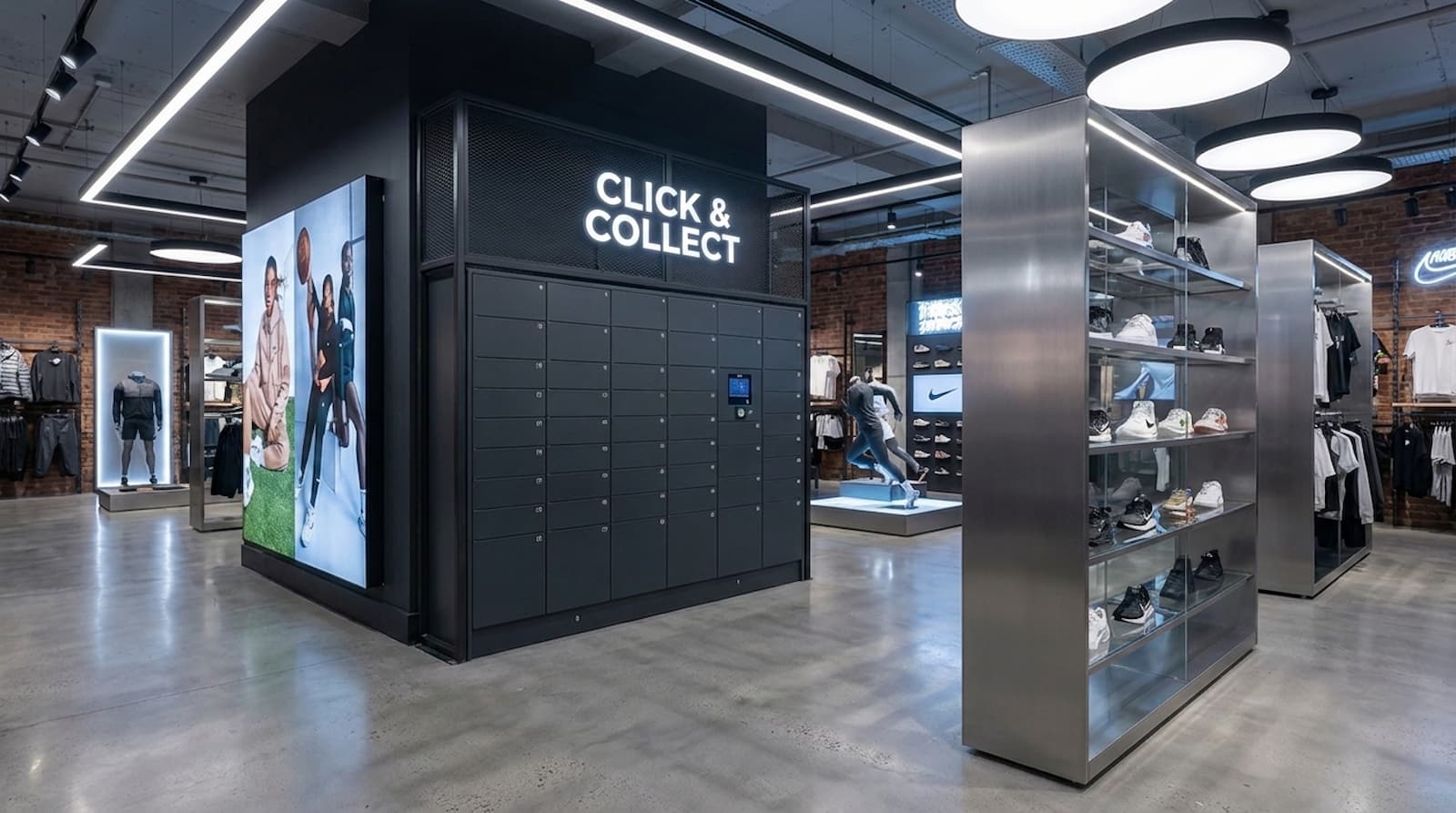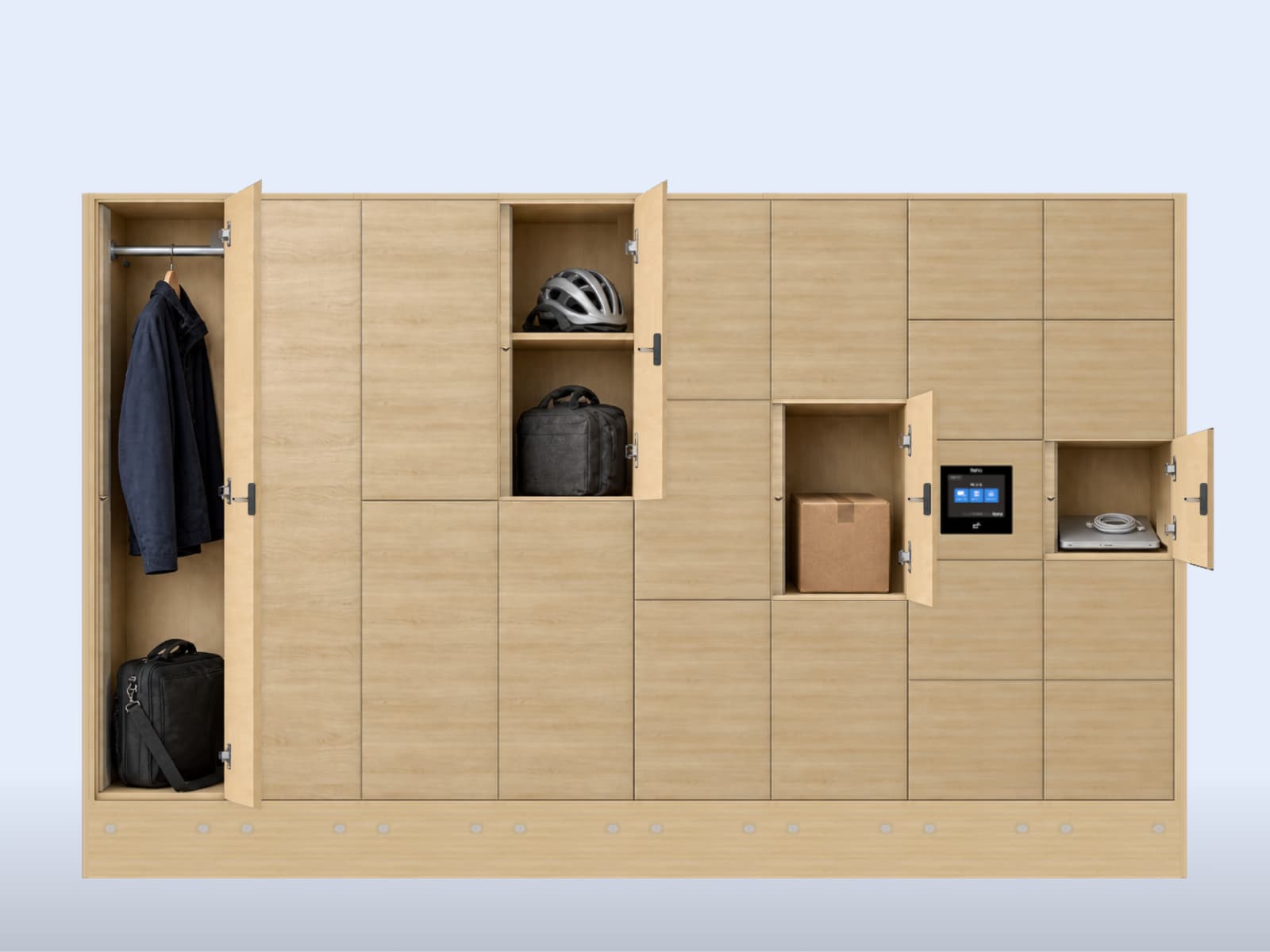
When you are choosing lockers for an office, it is easy to picture the finished space: a neat row of doors, the right colours, and somewhere for everyone’s things to go. But that's just one part of what makes smart lockers an important addition for an office. The more challenging part is around the workflows and integrations with other parts of your business, so your smart lockers can become a crucial part of your smart office solution.
Lockers can serve many uses cases: personal assigned lockers for employees to store their bags and items during the workday, flex assigned lockers for hybrid employees or guests, parcel management with custom access for deliveries, IT can share items and access for onboarding or offbaording employees, or even someething simple like having a replacement laptop waiting for a colleague to collect tomorrow.
All of these scenarios require a storage solution, but giving them the same kind of locker, with the same rules, may make everyday life harder than it needs to be.
That gives you a useful starting point for the buying decision: choose lockers around the working day you want to support, then choose the furniture and technology that make it possible.
Start with what needs a home
A bag and a replacement laptop might fit in the same compartment, but they need different routines. The bag returns to its owner, while the laptop changes hands and IT needs to confirm that the right colleague collected the right device. An open door alone cannot tell the team that the handover is complete, which means that access permissions and user roles play a pivotal role.
Smart lockers can help manage those different routines by connecting electronic locks to software that controls access and locker use. Depending on the setup, people can use an RFID badge, phone, PIN, or terminal, while the workplace team manages who can use each locker and for how long.
At Skyscanner’s London office, Keynius and their partner, Vpod, brought day storage and IT asset returns and exchanges together in one system, with 200 lockers across two floors. It is a useful example of choosing storage around several jobs instead of treating every door as a permanent home for one employee. Read the Skyscanner story.
Your office may need a different mix, perhaps including visiting colleagues who need somewhere to leave a coat without becoming permanent locker users. A parcel needs to reach its recipient, with someone responsible if it goes uncollected. Workplace parcel lockers can let employees collect independently, while the team manages receiving and deliveries that need attention. Even borrowing IT assets like a spare mouse, charging cable, or cables could be managed via a vending/dispensing management workflow.
These are ordinary workplace needs, and describing them plainly gives a supplier something useful to solve.
Make room for Tuesday and Thursday
Imagine an office where Tuesday is busy and Thursday is quieter. A locker for every employee might leave plenty of doors unused, but buying only for an average day could leave people without storage when everyone comes in together.
To start, it's important to evaluate how people use the space, because some belongings go home each evening while others stay overnight. Some people need a dependable place of their own, while others can share a pool of day lockers. The choice between assigned lockers, Flex lockers, and a hybrid mix helps you balance continuity for employees with storage available to others. Team storage may make more sense for equipment used by several colleagues.
Before settling on a number, look at a busy day and what remains afterwards. Track every use and exchange to understand how these manual interactions could have been solved with a smart locker:
- Employees storing their personal belongings
- IT sharing or assigning assets
- Parcel deliveries and collections
- Borrowed assets
- Employee onboarding and offboarding
- Requests to take out critical assets, like laptops, phones, scanners, etc.
- Guests, temporary staff, and hybrid employees needing personal storage access
A small pilot can help you find that balance while bringing the everyday rules into focus. If a booking ends while a bag is still inside, someone needs to contact its owner and deal with the belongings before the locker is used again. Software can end the booking, but it cannot carry the gym bag home.
That routine gives you something to build on when a team grows or assigned lockers become day storage. Before making the change, agree how you will handle the people and belongings already using them.
Make the easy route work for everyone
The technology becomes useful when it fits a routine people understand. At Citi’s London office, Keynius lockers connect to Citi’s workplace app, with terminal PIN access also available, making storage part of the workplace experience employees already use. Read the Citi story.
That is a good direction for your own project, whether the familiar starting point is an app or an employee badge. The detail belongs with your IT team: using the same badge does not, by itself, mean a new colleague automatically receives the right locker access or loses it when they leave. Have IT confirm how those changes work and who can manage them.
The same conversation should cover how the system protects employee information. Keynius has ISO 27001:2022 certification for its information security management system, covering the provision and support of smart locking solutions to partners. Its cloud architecture includes encryption and access controls based on people’s roles. Your IT team can use that evidence to assess how employee data will be protected, who can see it, and how long it should be kept. User access can also be de-anonymized to meet any strict security enforcement requirements.
Ease of use also extends beyond the screen, because someone needs to reach the controls, open the door, and access their belongings. There should be a workable alternative for someone without the expected phone or badge, and a clear route to help when it is needed.
The same practical thinking applies inside the locker. A laptop needs room for its charger; cycling clothes need a different arrangement from a coat. End-of-trip storage needs to support people from changing on arrival to collecting their belongings before leaving. Ventilation is not the same as drying, and charging needs suitable electrical provision. Take the actual items to a demonstration, so those differences become visible before the furniture arrives.
Buy the work you need done
Smart lockers are useful when there is a job for the software to do. A small, stable group might be well served by keys or mechanical codes. When users change, lockers are shared, or equipment changes hands, central management becomes a more relevant part of the purchase.
If that responsibility covers several offices, central management becomes especially useful. Keynius lets administrators assign users, adjust settings, and view locker status across locations from one dashboard, as well as providing them with remote management solutions. In a demonstration, have the central team and a local manager try their own tasks, so you can see whether each has the control they need without access to unrelated sites. Explore Keynius software.
Hosting is part of that decision too. Keynius offers cloud and on-premise deployment, giving IT a choice about where the system runs. The useful question is which arrangement fits your organisation’s requirements and who will look after updates, backups, and recovery. These are important factors when considering who is responsible for what, as part of any proposal.
A new management system does not necessarily mean new furniture, because cabinets that are still in good condition may be suitable for an upgrade. Keynius' RENÉ Lock, for example, can be used with existing lockers where the lock, mount, and cabinet fit together. A trial on a representative door can help you decide whether keeping the furniture is practical. Explore RENÉ.
Power is another choice with work attached: wired locks need a power and cable arrangement, while battery-powered locks need a replacement routine. Keynius' Battery Lock LEO with RFID avoids external power cabling at the door, while its connected setup uses Bluetooth and the Keynius mobile app. The right choice depends on your installation and how permissions and status will be exchanged. Explore LEO RFID.
These decisions belong in the price comparison because cabinets and locks are only part of what you are buying, alongside installation, software, connections, maintenance, and support. A lower subscription is less attractive if routine problems leave your team doing more work.
Compare the same scope over the same period, including delivery timings, warranty, replacement parts, and the help available when something goes wrong. Repair matters too: being able to replace a part or retain a sound cabinet is a useful requirement to discuss, while any claimed environmental saving needs evidence.
The benefits deserve the same care: less time handling keys may give your team time for other work without reducing payroll, just as freed-up floor space may be valuable without reducing rent. Those are worthwhile gains, but separating them from cash savings gives you a business case that is easier to explain.
See your working day in the demonstration
By now, you have a working day to show the supplier, which makes the conversation much more useful than a tour of features.
Follow one ordinary journey, such as arriving, storing a bag, and collecting it later. Then try something that interrupts it: a lost badge, a locker that is still occupied after its booking ends, or a replacement laptop that has not been collected. For an IT handover, follow the item all the way to confirmed collection and a closed service record.
An interruption may also come from the system itself. Keynius’s cloud service can automatically switch to a second European hosting region if the first has problems, and it includes backups for restoring data. Those protections support the online service, while a power cut or lost connection in your building needs its own plan. Have the supplier show how staff would help someone retrieve their belongings in the proposed installation and what happens when service returns.
Use test accounts and dummy belongings, with the supplier arranging any controlled fault tests. Agree what a successful result looks like before the demonstration, and record anything still to resolve. Seeing how people get help is just as useful as seeing a door open.
A pilot then lets you try the proposed routine before committing to a wider rollout. Show employees how to use it, give the workplace team a clear support route, and review what happens during the first busy weeks. If people cannot find space or staff keep solving the same problem, you have something specific to improve.
Keynius is worth considering when your office needs that combination of everyday storage, changing access, and managed handovers. Skyscanner shows day storage and IT exchange brought together; Citi shows lockers connected to an existing workplace app. Those projects give you a concrete starting point for discussing how Keynius can fit your own working day.
Before asking for another quote, write down one storage journey and one thing that could interrupt it. Discuss them with your workplace and IT colleagues, then take them to the demonstration.
You will still choose the colours, materials, and finish, but you will also know what those doors need to do on a busy Tuesday and who will help when someone’s bag is still there on Thursday.
Workplace smart locker FAQs
What makes a workplace locker a smart locker?
A smart locker connects an electronic lock to software that manages who can use it and for how long. Depending on the setup, people can open it with a badge, phone, PIN, or terminal, while administrators manage access and locker use. That becomes useful when lockers are shared, users change, or equipment needs a controlled handover.
How many lockers does a hybrid office need?
Base the number on busy-day demand and what stays overnight, rather than employee headcount alone. Assigned lockers suit people who need a dependable place of their own, while a shared pool can serve day users. Include the sizes needed for actual belongings and any doors unavailable for use. A pilot helps check the mix, because a locker with few openings may still contain someone's things.
Can we upgrade our existing lockers instead of replacing them?
Existing cabinets may be suitable for an upgrade if they are in good condition and compatible with the proposed locks. Keynius RENÉ can be used where the lock, mount, and cabinet fit together. Try a representative door before committing, and check that the compartment sizes and layout still suit what people need to store. Keeping suitable furniture avoids replacing it simply to change the access system.
Should we choose wired or battery-powered locks?
Wired locks need power and cabling, while battery-powered locks need a replacement routine. Choose the arrangement that fits the installation and the work your team can maintain. Keynius LEO RFID avoids external power cabling at the door, while its connected setup uses Bluetooth and the Keynius mobile app. Battery power alone does not establish how access permissions or locker status are updated, so include those steps in the demonstration.
Can smart lockers work with our employee badges or workplace app?
They can, where the chosen credentials and integration are supported. At Citi's London office, Keynius lockers connect to the workplace app, with terminal PIN access also available. For your project, confirm the actual badge or app, then test what happens when someone joins, changes teams, or leaves. A badge opening a door does not, by itself, show that access changes will happen correctly.
How does Keynius protect employee information?
Keynius's cloud architecture includes encryption and access controls based on people's roles. Keynius also has ISO 27001:2022 certification for its information security management system, covering the provision and support of smart locking solutions to partners. Your IT team should review the proposed data flows, who can see employee information, and how long it is kept. The certificate provides assurance evidence; the installation still needs to meet your requirements.
Can we manage lockers across several offices?
Yes, Keynius lets administrators assign users, adjust settings, and view locker status across locations from one dashboard. Have the central team and a local manager demonstrate their own tasks in the proposed setup, so you can check who can manage each site and see its reports. Include the number of offices, users, and lockers planned for the rollout in that discussion.
Does Keynius offer cloud and on-premise deployment?
Yes, Keynius offers both cloud and on-premise deployment. Cloud hosting runs the service remotely, while on-premise deployment places it on your organisation's own infrastructure. Choose with IT according to your hosting requirements, and agree who handles updates, backups, and recovery. Confirm the features and connections included in the proposed arrangement before ordering.
What happens during a power cut or lost connection?
Recovery depends on the locks, controls, and access methods in your installation, so agree and test the route for retrieving belongings. Keynius's cloud service can switch to a second European hosting region if the first has problems, and it includes backups for restoring data. Those protections support the online service; a local power cut or lost connection needs its own plan, including who helps users and what happens when service returns.
What should we include when comparing smart locker costs?
Compare the complete installation and service over the same period, including cabinets, locks, installation, software, integrations, connectivity, maintenance, batteries where needed, and support. Check delivery timings, warranty, replacement parts, and any recovery or visit charges. Include work your own team will retain, such as dealing with uncollected belongings. Less staff time spent on keys is useful, but it becomes a cash saving only when an actual expense is avoided.